
Database.SelectLatestVersion() in Business Central AL: A Complete Guide
Share this Article
Share this Article
When developing extensions in Microsoft Dynamics 365 Business Central, you'll often work in environments where multiple users, Job Queues, background sessions, or external integrations update the same data simultaneously.
Although Business Central caches data to improve performance, there are situations where your session must retrieve the latest committed data from the database instead of relying on cached information.
This is exactly what Database.SelectLatestVersion() is designed for.
In this article, we'll explore what it does, when to use it, and how it works with practical examples.
What is Database.SelectLatestVersion()?
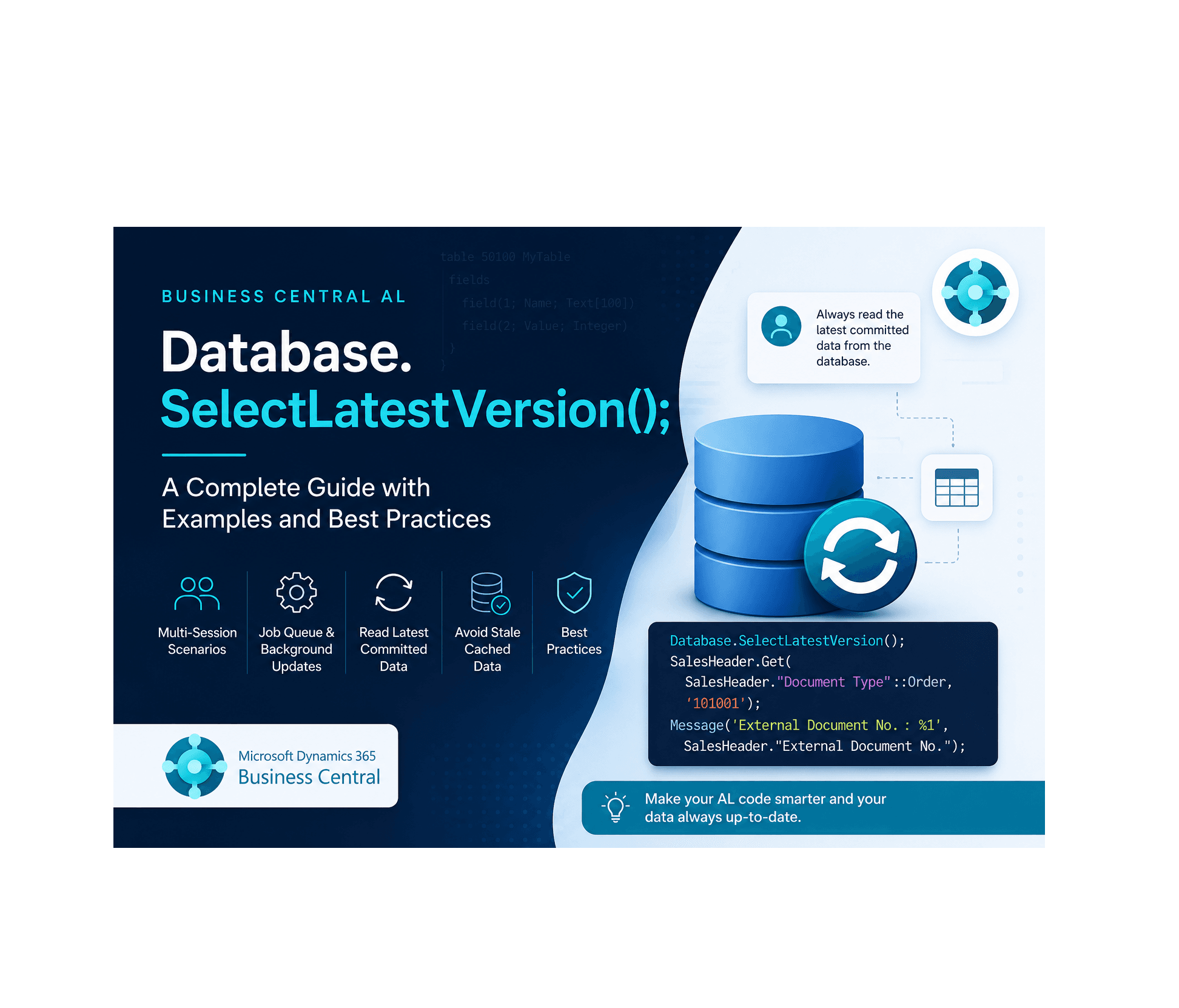
Database.SelectLatestVersion() instructs the current Business Central session to discard its cached database state and ensure that subsequent record reads retrieve the latest committed data from the database.
Syntax
Database.SelectLatestVersion();
The method:
Takes no parameters.
Returns no value.
Affects only the current session
Why is it Needed?
Business Central caches records within a session to reduce database calls and improve performance.
Consider this scenario:
User A opens a Sales Order.
A Job Queue updates the same Sales Order.
User A tries to read the Sales Order again.
Without refreshing the session cache, User A may continue reading the older cached data.
Calling Database.SelectLatestVersion() ensures that the next database read retrieves the latest committed version.
How Does It Work?
The method does not refresh records that are already loaded into memory.
Instead, it clears the database cache for the current session so that the next database operation—such as Get(), FindFirst(), FindSet(), or FindLast()—retrieves fresh data from the database.
A common pattern is:
Database.SelectLatestVersion();
SalesHeader.Get(SalesHeader."Document Type"::Order, 'SO101001');
Practical Example
Suppose a background process updates the External Document No. on a Sales Order.
Session 1 – Background Process
SalesHeader.Get(SalesHeader."Document Type"::Order, 'SO101001');
SalesHeader."External Document No." := 'WEB-1001';
SalesHeader.Modify(true);
Commit();
The updated value is committed to the database.
Session 2 – Your Extension
procedure ReadLatestSalesOrder()
var
    SalesHeader: Record "Sales Header";
begin
    Database.SelectLatestVersion();
    SalesHeader.Get(SalesHeader."Document Type"::Order, 'SO101001');
    Message(
        'External Document No.: %1',
        SalesHeader."External Document No.");
end;
Because Database.SelectLatestVersion() is called before reading the record, the latest committed value is returned instead of a potentially cached version.
Common Use Cases
Database.SelectLatestVersion() is useful in scenarios such as:
Reading records updated by a Job Queue.
Working with background sessions.
Accessing records modified by another user.
Reading data updated through APIs or web services.
Refreshing setup tables before executing business logic.
Multi-session development where concurrent updates are expected.
When Should You Avoid It?
Although useful, this method should not be used indiscriminately.
Avoid calling it:
Before every Get().
Inside loops processing many records.
In normal page operations where concurrent updates are unlikely.
As a substitute for proper transaction management.
Since it invalidates the session cache, unnecessary usage can increase database activity and reduce performance.
Does It Commit Data?
No.
Database.SelectLatestVersion() does not:
Save records.
Commit transactions.
Lock tables.
Refresh page controls.
Update record variables already loaded into memory.
It simply ensures that future database reads retrieve the latest committed data.
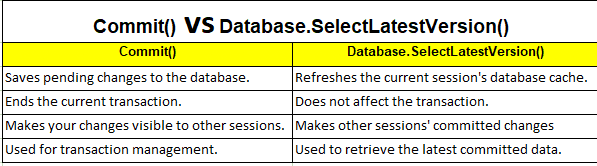
Although they are often used in similar scenarios, they solve different problems.
Best Practices
✔ Use it only when another session may have modified the data.
✔ Call it immediately before reading records.
✔ Avoid using it inside loops.
✔ Don't use it as a replacement for commit().
✔ Use it only when reading the latest committed data is more important than using cached data.
Key Takeaways
Database.SelectLatestVersion() clears the current session's database cache.
It ensures that subsequent database reads retrieve the latest committed data.
It does not save or commit data.
It is especially useful in Job Queue, API, and multi-user scenarios.
Using it only when necessary helps maintain application performance.
Conclusion
Database.SelectLatestVersion() is a small but powerful method that helps Business Central developers build reliable solutions in multi-user and multi-session environments.
By understanding how Business Central caches data and knowing when to refresh that cache, you can avoid reading stale information and ensure your extensions always work with the latest committed data.
Like many AL methods, its strength lies not in frequent use, but in using it at the right time.
Happy coding!